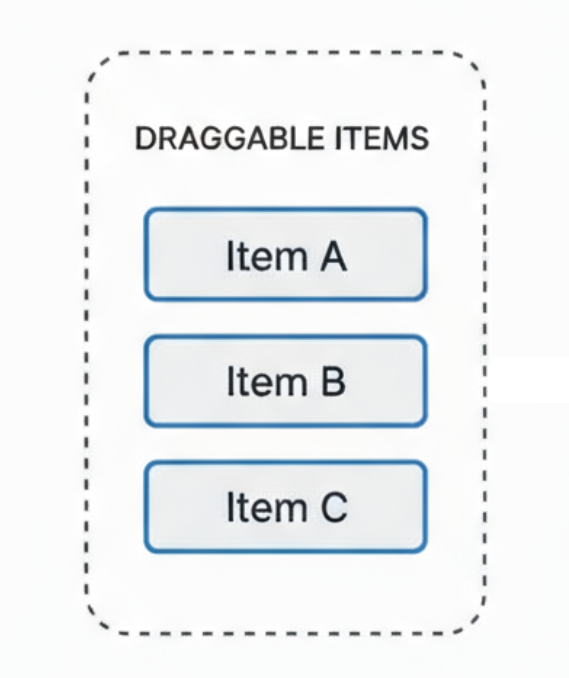
Refer to line-3 to 4 of 〈2.1.1.1. Orchestration of components〉, the ids provided in items props will be used to calculate the dragging logic/animation, those ids will be connected to the dragging component as follows:
where we can provide metadata for the dragging/dropping collision item in data props.
By experience the id provided in useSortable hook will be much more accessible than data when we handle our custom collisionDetection logic. Make sure to prepend a meaningful prefix whenever possible.
By collisionDetection we mean the logic to determine which item to interact with when dragging another item.
For example, when we drag an item to a region, which one should be considered as a collision? The folder? Or the item nested inside of the folder? Do we have priority?
The collisionDetection logic will directly affect the outcome (the over part) in
1const{ active, over }=useDndContext();
or in onDragEnd callback:
1// to be passed into DndContext2consthandleDragEnd=async(event:DragEndEvent)=>{3const{ active, over }= event;4...5}
Now we can access our data by {active, over}.data.current.
2.1.1.5. Recap before we dive deeper
In general, two tasks are needed to be defined on our own:
collisionDetection: This relies heavily on our id's in items prop, so provide meaningful prefix for the id in useSortable hook.
onDragEnd: What API to call and what state to change, so provide data in useSortable hook.
2.1.2. Variant 2: Multiple Sortable Regions
2.1.2.1. Orchestation
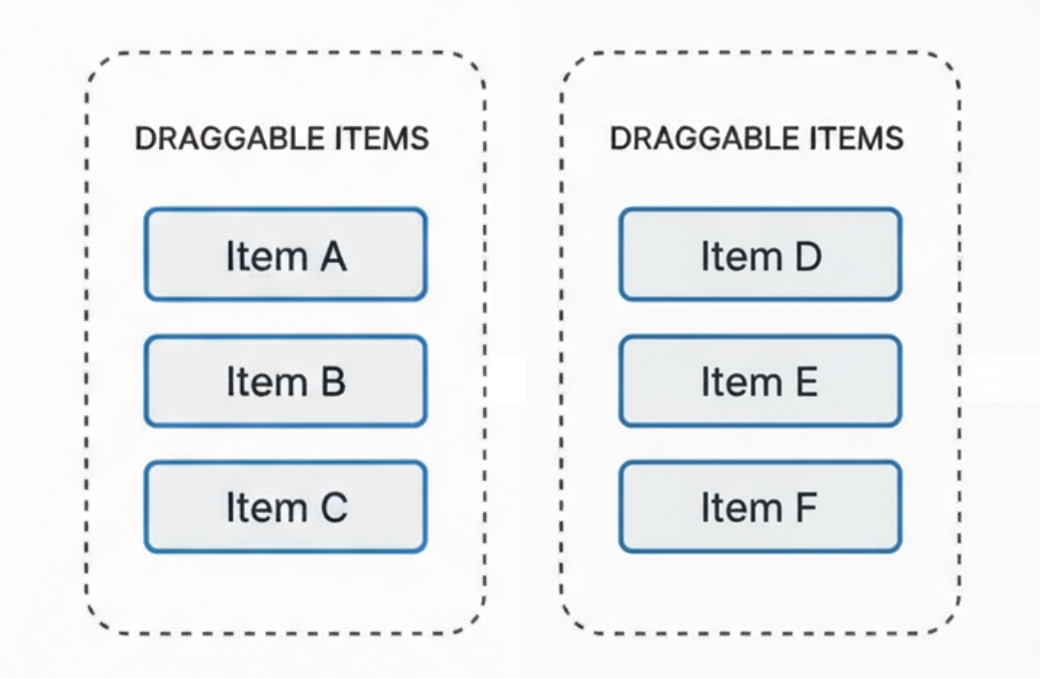
Standard usecase is like we have a list of items and we want to drag one item into a folder of another list of folders.
The orchestration will be like
1<DndContext2 sensors={sensors}3 collisionDetection={customCollisionDetection}4 onDragStart={handleDragStart}5 onDragEnd={handleDragEnd}6>7{/* this is wrapped by a SortableContext */}8<SortableSubfolders9 folders={folders}10/>11{/* this is wrapped by another SortableContext */}12<SortableScripts13 items={items}14 selectedFolderId={selectedFolderId}15/>16{/* DragOverlay for smooth animations */}17<DragOverlay>18{activeId && activeType ==="script"&&(19<ScriptItem script={script} folderId={folderId}/>20)}21{activeId && activeType ==="folder"&&(22<CollapsableFolder folder={folder}/>23)}24</DragOverlay>25</DndContext>
2.1.2.2. Dragging logic and animation across two regions
Again the dragging collision logic and the drag-end logic need to be provided in DndContext.
Now to ensure smooth dragging animation, we need to disable the default animation in allSortableContexts
We then define what we to be dragged visually using DragOveraly component (line-17 to 24 in 〈2.1.2.1. Orchestation〉). Our collisionDetection logic now is also a key to the real-time sorting logic.
2.2. DndContext
The root component that manages the drag-and-drop state.
1<DndContext2 sensors={sensors}3 collisionDetection={arg=>customCollisionDetection(arg)}4 onDragStart={handleDragStart}5 onDragEnd={handleDragEnd}6>7{/* Draggable content here */}8</DndContext>
1consthandleDragStart=(event:DragStartEvent)=>{2const{ active }= event;3// custom state for data display4setActiveId(active.idasnumber);5// custom state for data display6setActiveType(active.data.current?.type ||null);78// Only set reordering state when dragging a folder, not a script9if(active.data.current?.type ==="folder"){10dispatch(folderSlice.actions.setIsReorderingFolder(true));11}12};
2.2.4. onDragEnd
1consthandleDragEnd=async(event:DragEndEvent)=>{2const{ active, over }= event;34if(!over ||!folderResponse ||!selectedRootFolderId){5dispatch(folderSlice.actions.setIsReorderingFolder(false));6return;7}89const activeData = active.data.current;10const overData = over.data.current;1112// Case 1: Script dropped on folder (or root folder area) - move script to folder13if(activeData?.type ==="script"&& overData?.type ==="folder"){14const script = activeData.script;15const targetFolderId = overData.folderId;1617console.log("Moving script to folder:", script.id,"->", targetFolderId);1819moveScriptIntoFolder({20 scriptId: script.id,21 folderId: targetFolderId,22 rootFolderId: selectedRootFolderId,23})24.unwrap()25.catch((error)=>{26console.error("Failed to move script:", error);27});28}29// Case 2: Reordering scripts30elseif(activeData?.type ==="script"&& overData?.type ==="script"){31const activeScript = activeData.scriptasShellScriptResponse;32const overScript = overData.scriptasShellScriptResponse;3334// Find which folders contain the scripts35const activeFolder =findFolderContainingScript(folderResponse, activeScript.id!);36const overFolder =findFolderContainingScript(folderResponse, overScript.id!);3738if(!activeFolder ||!overFolder){39console.error("Could not find folders containing scripts");40return;41}4243// Case 2a: Scripts in the same folder - just reorder44if(activeFolder.id=== overFolder.id){45const oldIndex = activeFolder.shellScripts.findIndex(46(s)=> s.id=== activeScript.id47);48const newIndex = activeFolder.shellScripts.findIndex((s)=> s.id=== overScript.id);4950if(oldIndex !==-1&& newIndex !==-1&& oldIndex !== newIndex){51console.log(52`Reordering scripts in folder ${activeFolder.id}: ${oldIndex} -> ${newIndex}`53);54reorderScripts({55 folderId: activeFolder.id,56 fromIndex: oldIndex,57 toIndex: newIndex,58 rootFolderId: selectedRootFolderId,59})60.unwrap()61.catch((error)=>{62console.error("Failed to reorder scripts:", error);63});64}65}66// Case 2b: Scripts in different folders - move and reorder67else{68const targetIndex = overFolder.shellScripts.findIndex(69(s)=> s.id=== overScript.id70);7172if(targetIndex !==-1){73console.log(74`Moving script ${activeScript.id} from folder ${activeFolder.id} to folder ${overFolder.id} at index ${targetIndex}`75);7677const currentScriptCount = overFolder.shellScripts.length;7879// Step 1: Move the script to the target folder80moveScriptIntoFolder({81 scriptId: activeScript.id!,82 folderId: overFolder.id,83 rootFolderId: selectedRootFolderId,84})85.unwrap()86.then(()=>{87// Step 2: Reorder the script to the target index88// After moving, the script is at the end (currentScriptCount position)89const fromIndex = currentScriptCount;90if(fromIndex !== targetIndex){91returnreorderScripts({92 folderId: overFolder.id,93 fromIndex: fromIndex,94 toIndex: targetIndex,95 rootFolderId: selectedRootFolderId,96}).unwrap();97}98})99.catch((error)=>{100console.error("Failed to move and reorder script:", error);101});102}103}104}105// Case 3: Reordering folders106elseif(activeData?.type ==="folder"&& overData?.type ==="folder"){107const oldIndex = folderResponse.subfolders.findIndex((f)=> f.id=== active.id);108const newIndex = folderResponse.subfolders.findIndex((f)=> f.id=== over.id);109110if(oldIndex !==-1&& newIndex !==-1&& oldIndex !== newIndex){111console.log("Reordering folders");112reorderSubfolders({113 parentFolderId: selectedRootFolderId,114 fromIndex: oldIndex,115 toIndex: newIndex,116 rootFolderId: selectedRootFolderId,117})118.unwrap()119.catch((error)=>{120console.error("Failed to reorder folders:", error);121});122}123}124125dispatch(folderSlice.actions.setIsReorderingFolder(false));126setActiveId(null);127setActiveType(null);128};
Since in my application I mostly focus on vertical list, we directly use the default verticalListSortingStrategy.
Remark. The purpose of items:
✅ Tell dnd-kit which items belong to this sortable group
✅ Track the order of items (for sorting calculations)
✅ Identify which items can be reordered together
❌ NOT used for rendering
❌ NOT used to access item data
The sortable item will be identified with the value in items via the useSortable or useDroppable hook when we provide { id }.
2.4. Hooks to Register Dragging and Dropping MetaData
2.4.1. useSortable
This makes an individual item sortable, i.e., can be dragged and can be dropped (on mouse up).
1const{2 attributes,// Props for the draggable element3 listeners,// Event handlers for dragging4 setNodeRef,// Ref to attach to the DOM element5 transform,// Current position transformation6 transition,// CSS transition7 isDragging,// Boolean indicating drag state8}=useSortable({9 id: item.id,10 data:{ type:"item", item },// Custom metadata11});
Component (with ref={setNodeRef}) will register a value { id, data } which will be used to customize the collision logic and onDragEnd logic.
2.4.2. useDroppable
This creates a drop zone that can receive dragged items (cannot be dragged itself).
1const{2 setNodeRef,// Ref for the droppable area3 isOver,// Boolean: true when item hovers over this zone4}=useDroppable({5 id:"drop-zone-1",6 data:{ type:"folder", folderId:123},7});
Again any component having ref={setNodeRef} will become a droppable area.
2.5. DragOverlay
This renders a clone that follows the cursor while dragging (creates smooth animations).
1<DragOverlay>2{activeItem ?(// activeItem is a local state3<div className="opacity-80">4<ItemPreview item={activeItem}/>5</div>6):null}7</DragOverlay>
Next we define our custom collision logic. Recall that CollisionDetection always return Collision[], as discussed in 〈2.2.2. collisionDetection〉.
11// Custom collision detection12const customCollisionDetection:CollisionDetection=(args)=>{13const{ active }= args;14const isDraggingScript = active?.data.current?.type ==="script";1516// When dragging scripts, prioritize folder drop zones17if(isDraggingScript){18const pointerCollisions =pointerWithin(args);19if(pointerCollisions.length>0){20const droppableCollision = pointerCollisions.find(21({ id })=>String(id).startsWith("folder-droppable-")22);23if(droppableCollision){24return[droppableCollision];25}26}27}2829// For folders, use normal rect intersection30returnrectIntersection(args);31};
This collisionDetection will indirectly affect over in line-44 below.
For example, when a sortable lies inside a droppable, our custom collision logic tell us to return the one of highest priority (the folder-droppable) and affect what is returned in over.
32consthandleDragStart=(event:DragStartEvent)=>{33const{ active }= event;34setActiveId(active.idasnumber);35setActiveType(active.data.current?.type ||null);3637// Only set reordering state when dragging folders38if(active.data.current?.type ==="folder"){39dispatch(folderSlice.actions.setIsReorderingFolder(true));40}41};4243consthandleDragEnd=(event:DragEndEvent)=>{44const{ active, over }= event;4546if(!over ||!folderResponse ||!selectedFolderId){47dispatch(folderSlice.actions.setIsReorderingFolder(false));48return;49}5051const activeData = active.data.current;52const overData = over.data.current;5354// Case 1: Script dropped on folder55if(activeData?.type ==="script"&& overData?.type ==="folder"){56moveScript({57...activeData.script,58 folderId: overData.folderId,59});60}61// Case 2: Reordering scripts62elseif(activeData?.type ==="script"&& overData?.type ==="script"){63// Reorder logic...64}65// Case 3: Reordering folders66elseif(activeData?.type ==="folder"&& overData?.type ==="folder"){67// Reorder logic...68}6970dispatch(folderSlice.actions.setIsReorderingFolder(false));71setActiveId(null);72setActiveType(null);73};7475return(76<DndContext77 sensors={sensors}78 collisionDetection={customCollisionDetection}79 onDragStart={handleDragStart}80 onDragEnd={handleDragEnd}81>82<SortableSubfolders folderResponse={folderResponse}/>83<SortableScripts84 folderResponse={folderResponse}85 selectedFolderId={selectedFolderId}86/>8788{/* DragOverlay for smooth animations */}89<DragOverlay>90{activeId && activeType ==="script"&&(91<div className="opacity-80">92<ScriptItem script={script} folderId={folderId}/>93</div>94)}95{activeId && activeType ==="folder"&&(96<div className="opacity-80">97<CollapsableFolder folder={folder}/>98</div>99)}100</DragOverlay>101</DndContext>102);103}
As displayed in the video of 〈3.2. Brief Description〉, folder can be dragged and dropped, it does not come as a surprise that we need to use both useSortable and useDroppable hooks:
1exportdefaultfunctionCollapsableFolder({ folder }){2// Make folder sortable (for reordering folders)3const{4 attributes,5 listeners,6 setNodeRef: setSortableNodeRef,7 transform,8 transition,9 isDragging,10 setActivatorNodeRef,11}=useSortable({12 id: folder.id,13 data:{14 type:"folder",15 folderId: folder.id,16 folder: folder,17},18});1920// Make folder droppable (to accept scripts)21const{ setNodeRef: setDroppableNodeRef, isOver }=useDroppable({22 id:`folder-droppable-${folder.id}`,23 data:{24 type:"folder",25 folderId: folder.id,26 folder: folder,27},28});2930// Get active drag context31const{ active }=useDndContext();32const isDraggingScript = active?.data.current?.type ==="script";3334// Only highlight when a script hovers over this folder35const showHighlight = isOver && isDraggingScript;
In line-35 we also require the folder be highlighted only when we are dragging a script.
Finally we set our folder as both droppable and sortable via ref attribute:
36// Combine both refs37constsetNodeRef=(node:HTMLElement|null)=>{38setSortableNodeRef(node);39setDroppableNodeRef(node);40};4142const style:React.CSSProperties={43 transform:CSS.Transform.toString(transform),44 transition: isDragging ?"none": transition,45 opacity: isDragging ?0:1,// Hide original when dragging46};4748return(49<div ref={setNodeRef} style={style}{...attributes}>50<div className={clsx({51"bg-gray-400 dark:bg-neutral-600": showHighlight,52// Other styles...53})}>54<div ref={setActivatorNodeRef}{...listeners}>55<GripVertical/>56</div>
Note that line-54 to 56 activated the draggability of an item. Only this "handle" can activate dragging:
Problem: Dragging a script from the scripts list to a folder in the folders list caused animation interruption.
Solution:
Use a single DndContext wrapping both lists
Make folders both sortable AND droppable
Add DragOverlay to show a smooth clone following the cursor
1// Single DndContext for both lists2<DndContext>3<SortableContext items={folderIds}>4{/* Folders */}5</SortableContext>6<SortableContext items={scriptIds}>7{/* Scripts */}8</SortableContext>9<DragOverlay>10{/* Smooth clone */}11</DragOverlay>12</DndContext>
Note that we have disabled (hided) the original clone of sortable object by:
In some sense we have "moved" this clone into the DragOverlay. This makes it possible to have a smooth transition from one SortableContext to another SortableContext.
3.4.2. Challenge 2: Identifying Drop Targets
Problem: How to distinguish between dropping on a folder vs reordering?
Solution: We have prioritized the collision logic while dragging a script:
1// If we have script collisions, always prioritize them for sorting2if(scriptCollisions.length>0){3// ... returns script collisions4return[...scriptCollisions,...droppablesToInclude];5}