2. Why do we Bundle the Python Runtime into The Application?
We can spin up a web server locally written in python and develop agentic solution to the desktop application without the need to host a webserver to provide exactly the same service. This provides much fewer latency and much higher privacy.
User can use their own API_KEY and AI_MODEL without us the developer to reinvent a complicated pricing plan to count how much the user has consumed. So we can concentrate on building the agentic system.
It also pave a way for the future LLM model that can be hosted locally (or externally via additional devices). This embedding approach will provide me a boilerplate to develop agentic software at the expense of software file size (bundling a runtime requires a lot of disk space).
3. Prepare Python Runtime in Tauri Resource Folder
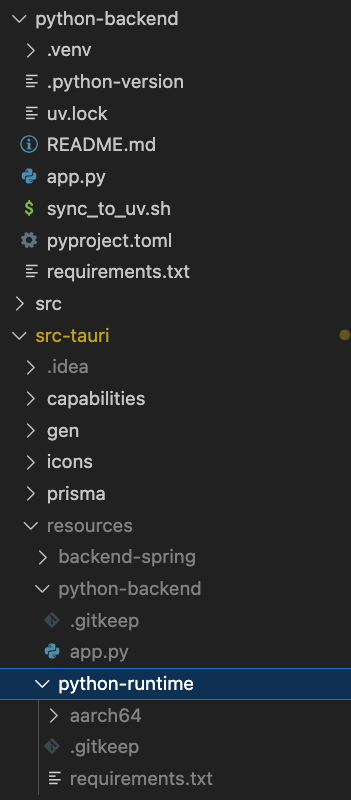
3.1. Project Structure
3.2. Shell Script to Install Runtime and Preintall Required Packages
3.2.1. What Packages to Include? Steps to Install Runtime
From project structure we will copy a requirements.txt from python-backend/ into src-tauri/resources/python-runtime. We will be downloading both python runtime and required packages into this python-runtime/ directory.
This resources/ directory is the location to bundle additional resources into our Tauri appplication.
If our uv project has included new packages, we will need to update the requirements.txt by
Next we check that whether we have downloaded the python runtime, if so, we will skip it.
If not, we will download and unzip the python runtime via wget and tar -xzf
Next according to requirements.txt we install all required dependencies into $ARCH/lib/python3.12/site-packages
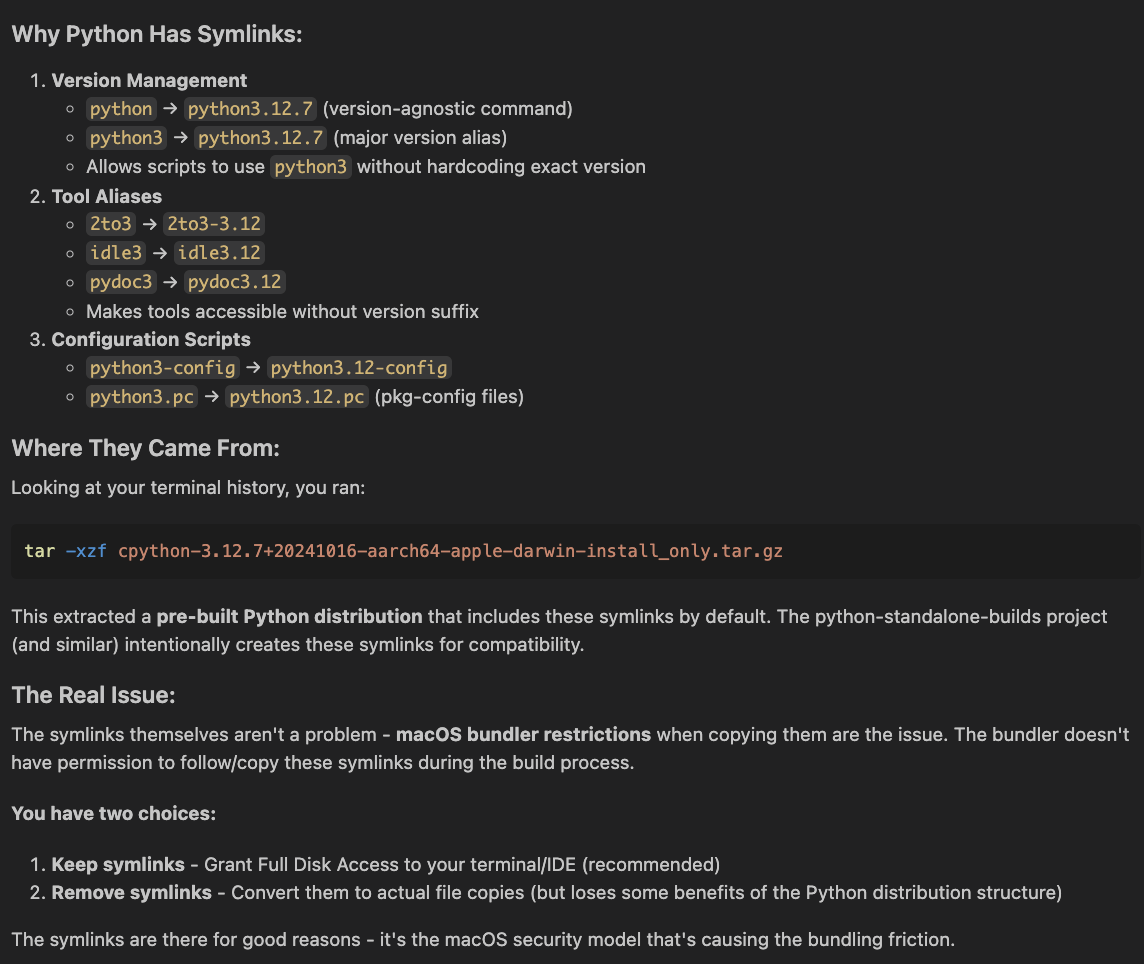
In 〈3.2.2. Implementation of the Shell Script〉 we will further do a clean up process (line 106-147) to remove all the symlinks and unpermitted files when doing the bundling process into a dmg file for Mac.
This step is to solve the following problem when I first attempt to bundle the runtime: