



1. Repository
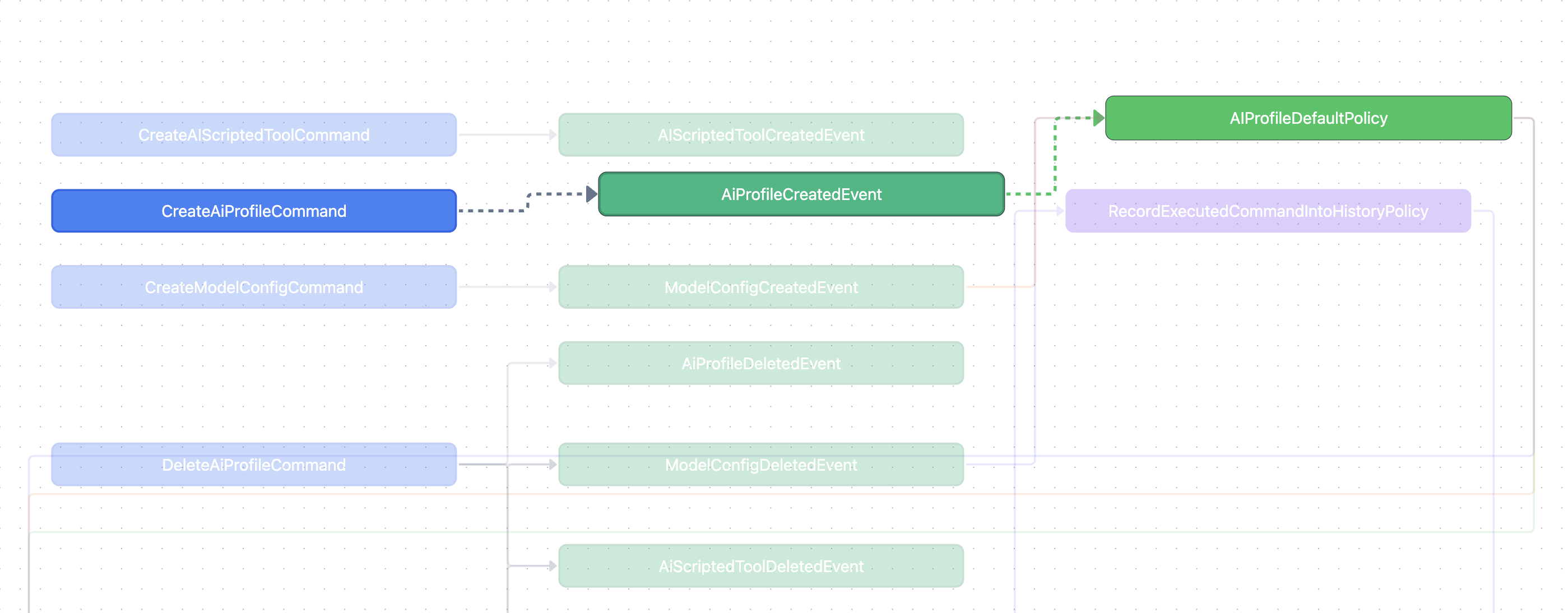
2. Data Demonstration
3. Objective of the Component
This component is to draw event storming diagram using data generated from existing commands and events of a backend application.
We already have one approach drawing this diagram by
But setting a CICD job that deploys a web which draws the workflow is much easier.
4. Usage
4.1.Terminology
Terminology
-
Command. is used when it would change the application state.
-
Event. is used to describe a state change has happened.
-
Policy. is used to orchestrate how an event could create side effect. A policy would listen to an event, and dispatch another command.
All side effect must take place in policies.
In spring, Command and Event are simply data classs in kotlin (or record class in java).
A Policy is an @Component-annotated class that has a bunch of @EventListener-annotated methods. Namely, it defines a set of event listeners.
Any state change causes an event, events are listened by EventListeners in our policies which will handle the logic of further state change.
Let's consider an example:
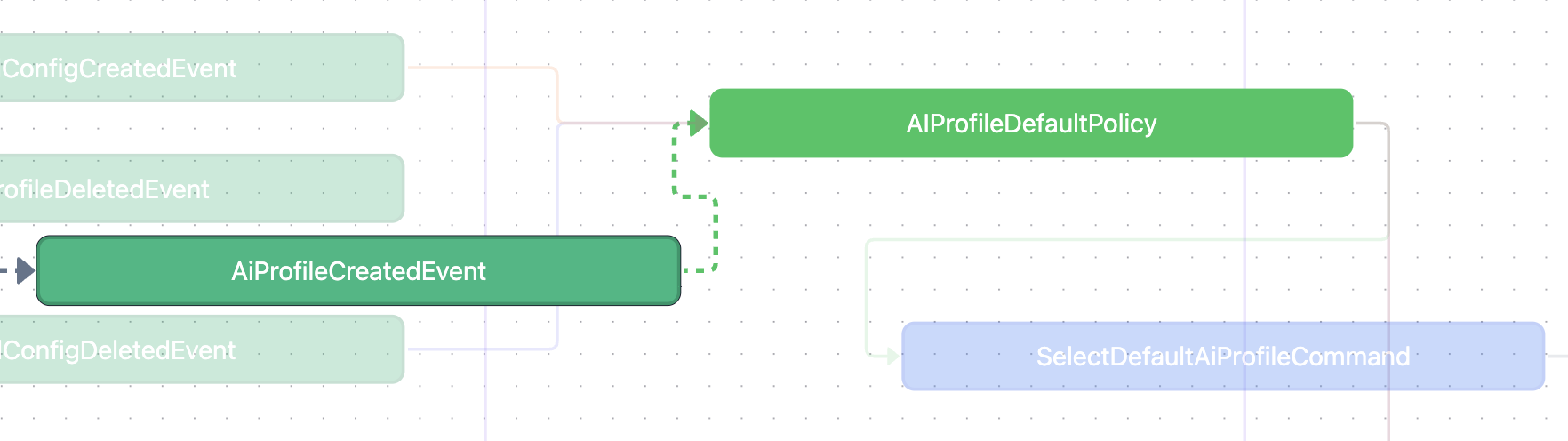
AIProfileCreatedEvent was listened by AIProfileDefaultPolicy, meaning a system state change would happen when a resource AIProfile has been created.
Next AIProfileDefaultPolicy determines whether we should invoke SelectDefaultAIProfileCommand by considering if there is existing default selection or not.
So the state change of default selection is explicitly listed out in our event-storming diagram, rather than being hidden in the domain logic of creating an AIProfile via some.
Note that there can be multiple events pointing to the same policy:
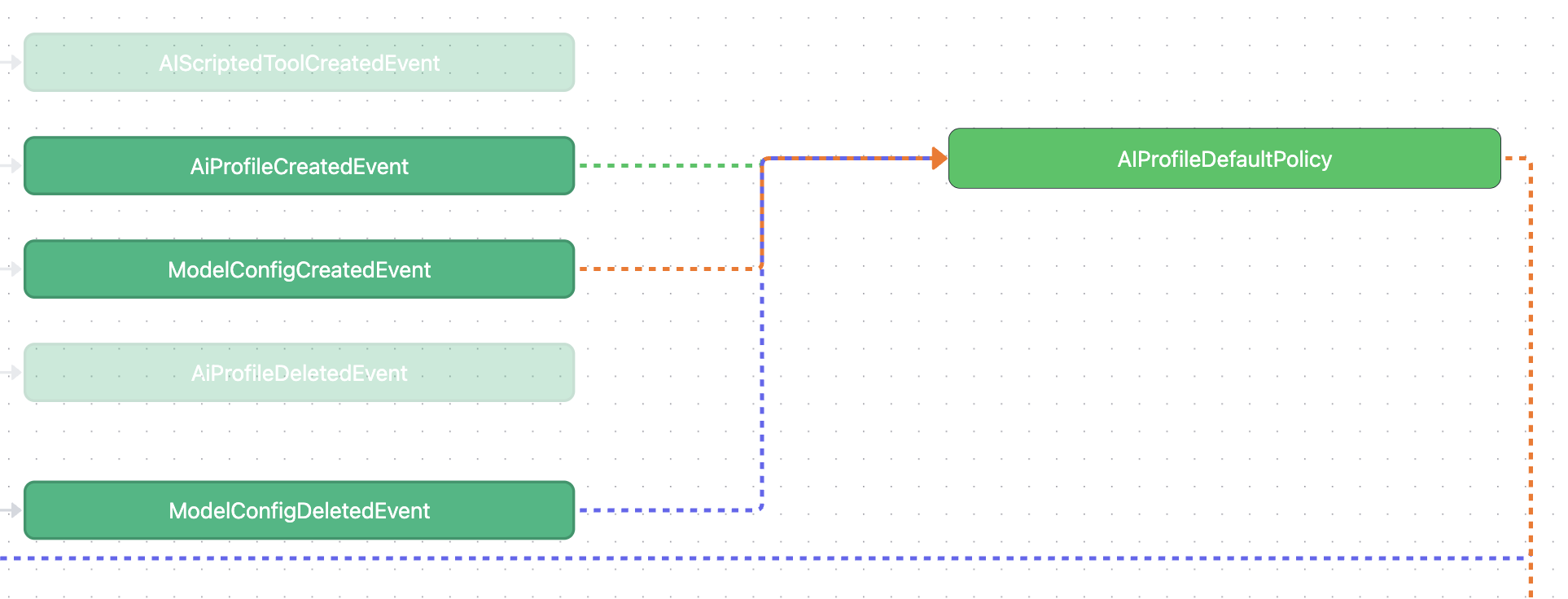
Our policy actually tries to manage/centralize the side effects of all related resources (like AIProfileDefaultPolicy focuses on all the side effects related to AIProfile default settings).
There can be private methods in a policy that share similar state change logics, but once there are cases that break the similarity, we can easily change in event handlers (loose coupling).
4.2.Interfaces
Interfaces
Our major component is implemented by react-flow with the following interfaces:
4.2.1.Command
Command
fromis a command nametois a list of event names
4.2.2.Policy
Policy
policyis a policy namefromEventmean which event would trigger the policytoCommandmean which further state change would be triggered
4.3.CommandFlowVisualizer
CommandFlowVisualizer
Our visualizer takes the following interface:
Full implementation of the component can be found here, but this is not the focus of this article.
Assume that we have defined a data commands:
Our diagram can be drawn as simply as invoking